 how-to
Do You Really Need Fleet Maintenance Software Integration?
Last Updated: October 31, 2026
Quick Summary
Fleet maintenance software integration connects telematics, GPS, accounting, and ERP systems so maintenance alerts fire on real vehicle data instead of manual entry. Start by mapping your data and defining one system of record before connecting anything, then test each connection in three stages and monitor for silent failures after launch.
- Build a mapping worksheet naming one system of record for vehicle data before entering any credentials.
- Connect telematics first, since odometer and engine-hour readings drive preventive maintenance triggers.
- Test each connection with a single record, a batch of ten, then a full day of live traffic.
- Set a daily heartbeat check that alerts someone when a connection stops producing records.
- Record baseline KPIs like uptime and maintenance cost per mile four to six weeks before go-live.
Table of Contents
- Why Integration Decides Whether Your Fleet Maintenance Software Works
- Your Fleet Software Integration Checklist Before You Connect Anything
- Fleet Software API Integration: How to Connect Telematics, GPS, and ERP Systems
- Fleet Maintenance Workflow Automation That Removes Manual Data Entry
- Fleet Data Management Best Practices for Clean, Accurate Records
- How to Test, Monitor, and Fix a Failing Integration
- Measuring Integration ROI With Baseline Fleet KPIs
- Pair Your Connected Fleet With On-Site Mobile Repair
- Frequently Asked Questions
Why Integration Decides Whether Your Fleet Maintenance Software Works
Software that sits alone in a tab is a filing cabinet. That is the blunt truth about fleet maintenance software integration, and it is why so many rollouts stall after the first month.
Integration is the difference between a system your team updates and one that updates itself.
Below, we'll show you exactly how to plan, test, and maintain each connection so the software earns its keep.
Your Fleet Software Integration Checklist Before You Connect Anything
A fleet software integration checklist is the set of decisions you make before a single credential is entered: what data moves, in which direction, how often, and who owns it. Skipping this step is a common mistake. Teams connect first and define requirements later, then can spend months untangling duplicate records.
Work through these before you touch a connector:
- List every source system: telematics, GPS, ERP, accounting, parts supplier
- Name the one system of record for vehicle data and asset data
- Document field names and formats on both sides
That checklist takes an afternoon. It saves weeks.
Map Your Data and Define Integration Requirements
Data mapping matches a field in one system to its equivalent in another, including format, unit, and naming conventions. A unit number in your ERP might be TRK-014 while your telematics platform stores it as 14. Without a mapping rule, those are two different vehicles.
Build a mapping worksheet with one row per field and these columns: source system, source field name, source format, destination system, destination field name, destination format, transformation rule, direction, frequency, and owner. For a typical fleet, the highest-value rows are:
- Vehicle/asset identifier, the join key for everything else. Decide whether you will use VIN, unit number, or a license plate, and enforce it as the master key across every system.
- Odometer and engine hours, telematics to maintenance system, near real time. Confirm units (miles vs. kilometers, hours to one decimal) and whether the source reports lifetime or trip values.
- Work order header and lines, maintenance system to accounting, on close. Map labor, parts, and outside-service line types separately so the accounting side books them to the right GL accounts.
Handle duplicates and mismatched identifiers with three rules: (1) never auto-create a new vehicle record from an inbound feed, match to an existing asset or route to an exception queue; (2) keep a cross-reference table for every external ID rather than editing source values; (3) run a weekly duplicate report on VIN and unit number and resolve before the next sync. A common pattern: the maintenance system owns vehicle and work-order data, the ERP owns financials and vendor master, and telematics owns raw location and engine data, each referencing the others rather than copying.
Evaluate APIs, Webhooks, and Prebuilt Connectors
An API is a defined interface that lets two systems exchange data on request. A webhook is an automatic push sent the moment an event happens. A prebuilt connector is a vendor-maintained bridge between two named products.
Each has a trade-off. Prebuilt connectors deploy fastest and are easiest to maintain, but only exist for popular pairings. APIs give you control and fit unusual workflows, but someone must build and maintain the calls.
Ask vendors these concrete questions before you commit:
- Is there a documented, versioned API with a public reference and sandbox?
- Which objects and fields are exposed, vehicles, work orders, parts, vendors, costs, and which are read-only?
- Are webhooks supported for maintenance events (fault codes, inspection failures, work-order status changes), and is there a retry policy?
Get the mapping worksheet and the connector scorecard on paper and the rest of the project gets simpler.
Fleet Software API Integration: How to Connect Telematics, GPS, and ERP Systems
Fleet software API integration works by pulling vehicle data from telematics and GPS units, pushing repair records into your ERP, and reconciling both against your maintenance schedules. Connection order matters.
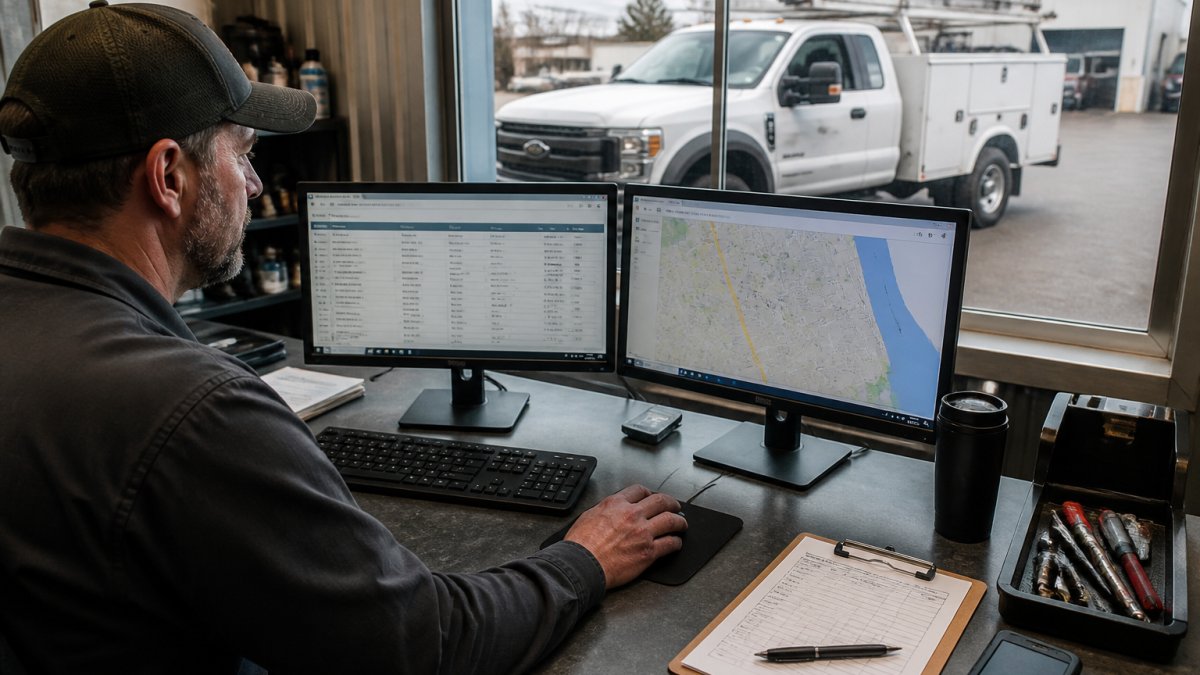
Next, connect your accounting software so closed work orders generate invoices without retyping. Last, link parts inventory and purchasing, which is usually the messiest connection because supplier catalogs rarely match your internal part numbers.
Fleet Maintenance Workflow Automation That Removes Manual Data Entry
Workflow automation replaces the retyping step entirely. A driver inspection flags a brake issue, the system opens a work order, assigns it to a technician, and logs the repair against that vehicle's service history.
The practical wins are unglamorous but real: fewer transcription errors, faster billing, and maintenance alerts that reach the right person the same day.
If you want the operational side of this to run tighter, our guide on preventative maintenance for commercial vehicles covers the schedule side of the same problem.
Fleet Data Management Best Practices for Clean, Accurate Records
Clean data is a discipline, not a one-time cleanup.
Centralized data beats distributed data every time. When asset data lives in three systems, silos form and nobody trusts the numbers. Pick a master for vehicles, a master for parts, and a master for financials, then let the others reference it.
Watch out: letting drivers or technicians type free-text notes into fields that should be dropdowns creates data you can never report on. Lock those fields down early.
How to Test, Monitor, and Fix a Failing Integration
Most integration failures are not dramatic. They are quiet: a feed stops, the dashboard goes still, and nobody notices until a preventive-maintenance trigger is missed or an invoice never reaches accounting. Treat testing and monitoring as a permanent operating discipline, not a go-live checkbox.
Test in Three Stages
Test every connection in three stages: a single record, a batch of ten, then a full day of live traffic. Compare the source and destination field by field. Most failures show up in the batch stage, usually as duplicate records or mismatched unit numbers.
For each stage, verify:
- Record count, did the same number of records arrive as were sent?
- Field-level accuracy, spot-check odometer, engine hours, unit number, work-order status, and cost fields against the source.
- Direction and idempotency, re-run the same batch and confirm you do not get duplicates.
Monitor for Silent Failure
Once live, monitor for silent failure. An integration that stops syncing rarely announces itself; the dashboard just goes quiet. Set a daily check that confirms records arrived, and alert someone when they don't.
A practical monitoring stack has four layers:
- Heartbeat check, a scheduled job confirms each connection produced records in the last 24 hours; alert if not.
- Reconciliation report, a daily count comparison between source and destination for vehicles, work orders, and parts transactions, with a variance threshold that triggers review.
- Error-log review, someone owns reading the integration error log each morning; unresolved errors older than 48 hours escalate.
- Business-level alert, if no work orders have closed in a system that normally closes several per day, that is a signal even when the technical feed looks healthy.
Fix Failures With a Repeatable Sequence
When a sync fails, work the problem in order: confirm the connection is authenticated (expired keys are the most common cause), check the error log for the failing record, isolate whether the problem is one record or the whole feed, replay or re-send the affected records, and reconcile counts after the fix. Build a simple fallback: if the API is down, staff log the repair manually and reconcile later, but record those manual entries in a separate queue so they can be matched to the automated feed when it returns.
Security, Permissions, and Data Governance
Give each integration its own credentials, scoped to only the data it needs. Never share a human administrator login with a connector. Rotate keys on a schedule, log who changed what, and review access quarterly. Data governance sounds bureaucratic until a departed employee's credentials are still live in a connector nobody remembers building.
Governance for a fleet integration comes down to five controls:
- Access control, role-based permissions so a dispatcher can view work orders but not edit vendor cost records; integration service accounts scoped to specific objects.
- Audit logging, every create, update, and delete on synced records is attributable to a user or service account, with timestamps retained.
- Data ownership, a written statement of which system is the master for vehicles, parts, vendors, and financials, so disputes resolve by rule rather than by meeting.
Keep It Running After Launch
Integrations decay. Vendors ship API version changes, field names shift, and connectors get deprecated. Put a quarterly maintenance task on the calendar: review error logs and reconciliation variances, confirm API versions are current, re-test one batch per connection, and update the mapping worksheet for any new fields.
Testing and monitoring an integration follows a fixed sequence of stages and checks.
| Stage or layer | What to do | Note |
|---|---|---|
| Test stage 1 | Send a single record | Compare source and destination field by field |
| Test stage 2 | Send a batch of ten | Most failures show up here |
| Test stage 3 | Run a full day of live traffic | Verify counts and field accuracy |
| Heartbeat check | Confirm each connection produced records in last 24 hours | Alert if not |
| Reconciliation report | Daily count comparison for vehicles, work orders, parts | Variance threshold triggers review |
| Error-log review | Someone reads the error log each morning | Errors older than 48 hours escalate |
| Business-level alert | Flag when no work orders close in a normally busy system | Signal even if technical feed looks healthy |
Measuring Integration ROI With Baseline Fleet KPIs
You cannot prove integration worked without a before picture. Record baseline numbers for vehicle uptime, downtime hours per vehicle, maintenance cost per mile, and administrative hours spent on data entry.
After go-live, compare the same metrics over the same period length. If you want to push downtime down further, our step-by-step guide on how to reduce fleet downtime pairs well with the reporting you'll now have.
Pair Your Connected Fleet With On-Site Mobile Repair
Software tells you a truck needs attention. Someone still has to fix it. That is where on-site mobile repair comes in: mobile mechanics can come to your yard or roadside to handle engine, brake, and fleet maintenance work, and Ryan's Mobile Repair LLC provides upfront estimates before work begins.
For fleets weighing the trade-off, it's worth reading whether on-site fleet maintenance benefits justify the switch, and if reliability is your concern, our guide on mobile fleet repair reliability answers that directly. Connected data plus on-site service closes the loop between the alert and the repair.
Frequently Asked Questions
How long does a fleet software integration take?
Timelines depend on how many systems you connect and how clean your existing data is. A single telematics-to-maintenance software connection with a prebuilt connector can go live in a few weeks. Multi-system projects involving an ERP, parts inventory, and accounting software usually take longer because each connection needs its own data mapping and testing pass. Plan the schedule around your fleet size and the number of integrations, and run a pilot with a small group of vehicles before rolling out to the whole fleet.
What are the most common fleet software integration challenges?
The biggest problems are mismatched data fields between systems, duplicate vehicle and asset records, and connectors that silently stop syncing. Fleets also struggle when the maintenance software and the accounting or ERP system use different identifiers for the same truck. Fix these early by agreeing on one master record per vehicle, documenting field mappings, and setting up alerts that flag failed syncs. Testing with real service history and work orders before launch catches most of these issues while they are still cheap to fix.
How do you keep fleet data accurate across integrated systems?
Assign one system as the source of truth for each data type. Vehicle and asset data usually lives in the maintenance platform or telematics tool, while billing and cost data belongs in accounting. Restrict edit permissions so only the owning system can change its records, and schedule regular audits that compare vehicle counts, odometer readings, and open work orders across systems. When a driver inspection or repair record is entered once and syncs everywhere, information silos close and maintenance alerts stay reliable.
How do you measure the success of a fleet maintenance software integration?
Set baseline numbers before you connect anything: manual data entry hours per week, preventive maintenance completion rate, vehicle downtime, and maintenance cost per vehicle. After launch, compare those figures at 30, 60, and 90 days. A working integration shows fewer duplicate records, faster work order creation from inspections, and earlier problem detection through maintenance alerts. If the numbers do not move, the connection may be syncing data but not automating the workflow, which is where most of the operational efficiency gain actually comes from.
Your fleet software will only ever be as good as the data feeding it, and the repair network behind it. Ryan's Mobile Repair LLC provides 24/7 on-site fleet maintenance, upfront estimates, and payment plans so a flagged fault becomes a fixed truck, not another line on a to-do list. Get started with Ryan's Mobile Repair LLC and turn your maintenance alerts into completed work orders.